Pause, add time and end
During the session you set the pace. You can pause, give more time on a question, close the answers early or end when you are done.
How to
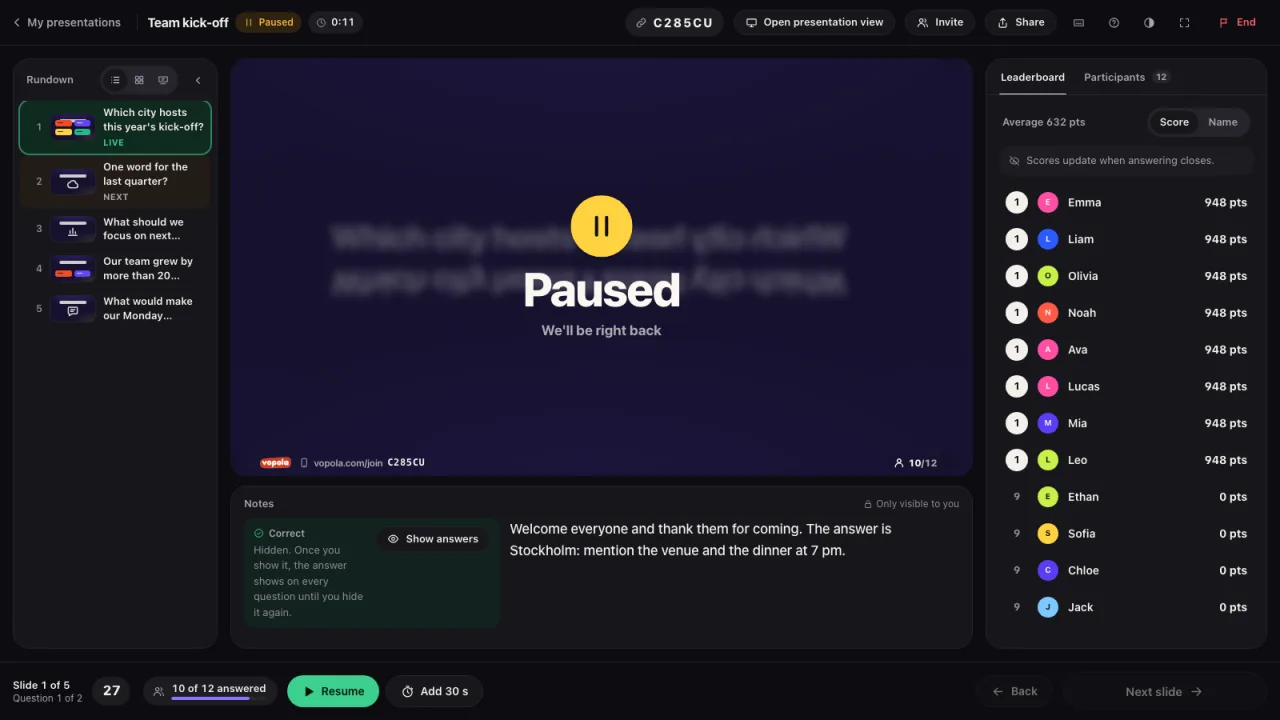
- Click Pause to pause. Everyone sees that it is a break. Click Resume to carry on.
- Does everyone need more time on a question? Click the button with the clock and the question gets 30 more seconds.
- Has everyone answered? Click Close answering to show the correct answer right away.
- On the last slide the button becomes End session. Everyone then sees the final results. The results are saved.
- Want to stop earlier? Click End at the top. Choose End and save the results or Cancel without results. Neither can be undone.
- Tip: Press P to pause or carry on. Press T for more time.