Moderator link
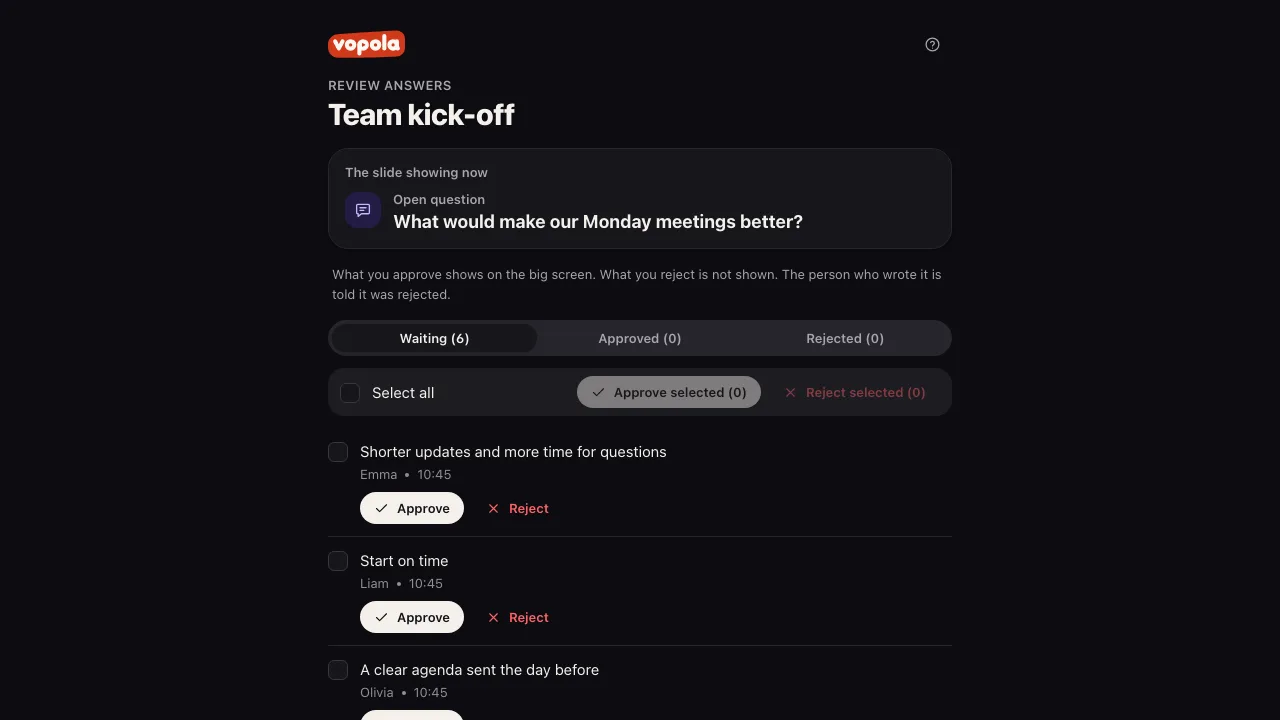
With the moderator link, a colleague can review answers from their own phone, without an account. The moderator can approve or reject answers and nothing else.
How to
- Click Invite in the control room.
- Under Moderator link, click Create link.
- Click Copy and send the link. It is only shown this once.
- The moderator opens the link and sees the answers for the slide showing now.
- If the presentation takes questions for the host throughout, the moderator sees those too, whatever slide is showing.
- What the moderator approves appears on the presentation screen. What they reject is not shown.
- Want to stop the link? Click Replace link to get a new one, or Turn off.
- Tip: The moderator link is there when the presentation has a word cloud, an open question, ideas or questions for the host. It only works for this session.